In-game panel
The /notify command. Every player fits the notifications to their screen and the admin sets the server's values without touching a file or restarting anything.
ob_notify ships with a panel inside the game. One command opens it and what
you change shows up straight away: no editing config.lua, no restarting the
resource, nobody kicked off the server.
/notify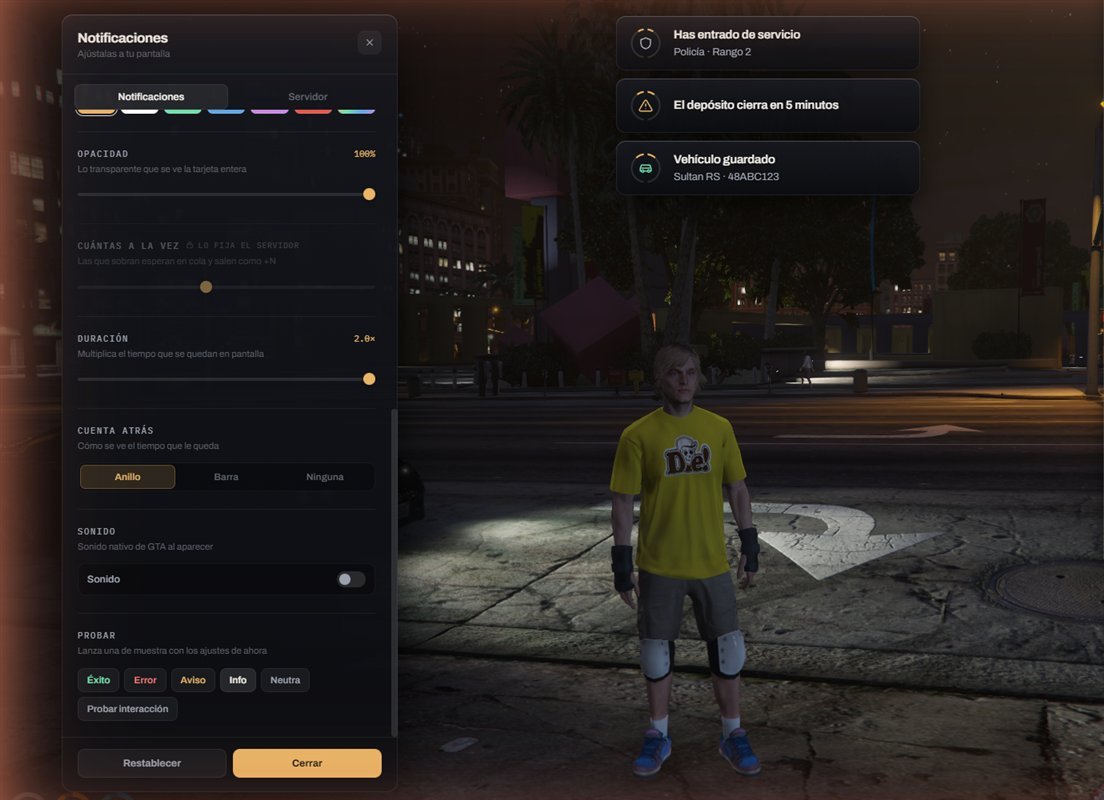
There are two levels and they don't mix:
| Who | What they do | Where it's stored |
|---|---|---|
| Any player | Fits their own to their screen | On their own client |
| An admin | Sets what everyone finds | On the server |
What a player tunes
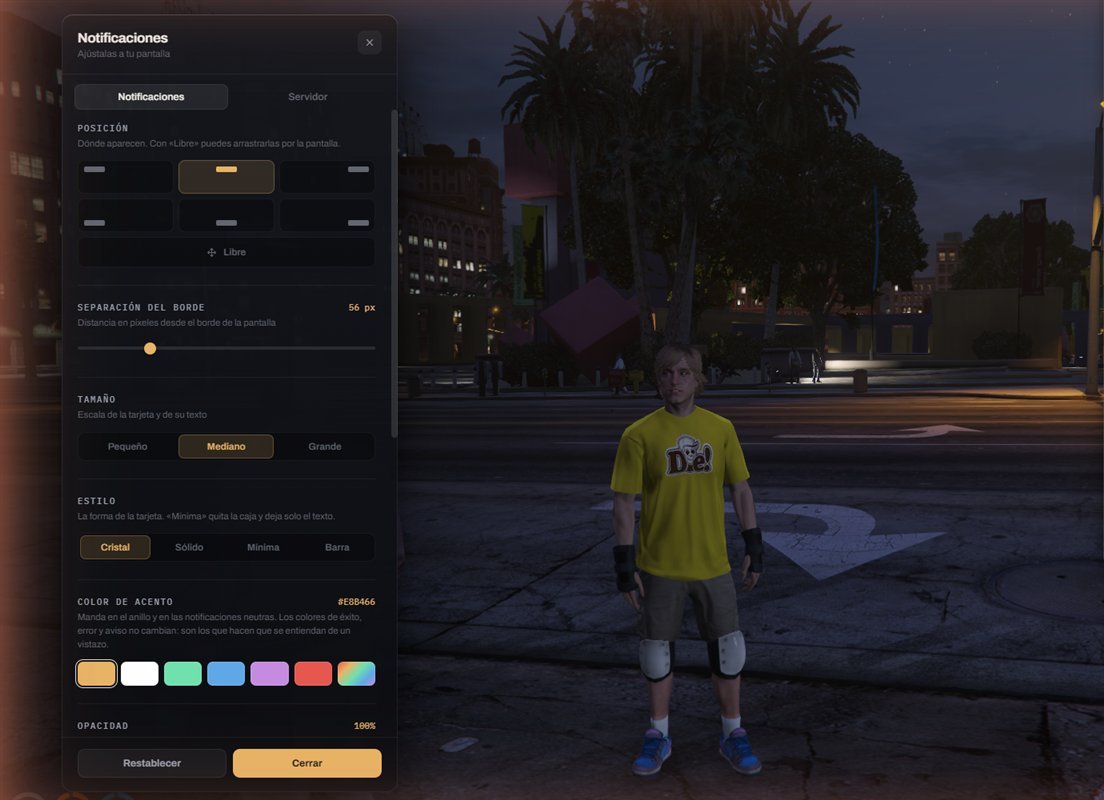
| Setting | What it changes |
|---|---|
| Position | The six corners, or Free to drag them anywhere |
| Edge margin | 0 to 240 px |
| Size | 0.8× to 1.25×. Scales the card and its text, doesn't distort it |
| Style | Glass · Solid · Minimal · Bar |
| Accent colour | Six colours one click away, or their exact one |
| Opacity | 50 % to 100 % |
| How many at once | 1 to 8 |
| Duration | 0.5× to 2× |
| Countdown | Ring · Bar · None |
| Sound | On or off |
The admin can close any of them. Whatever is closed shows a padlock and the server's value.
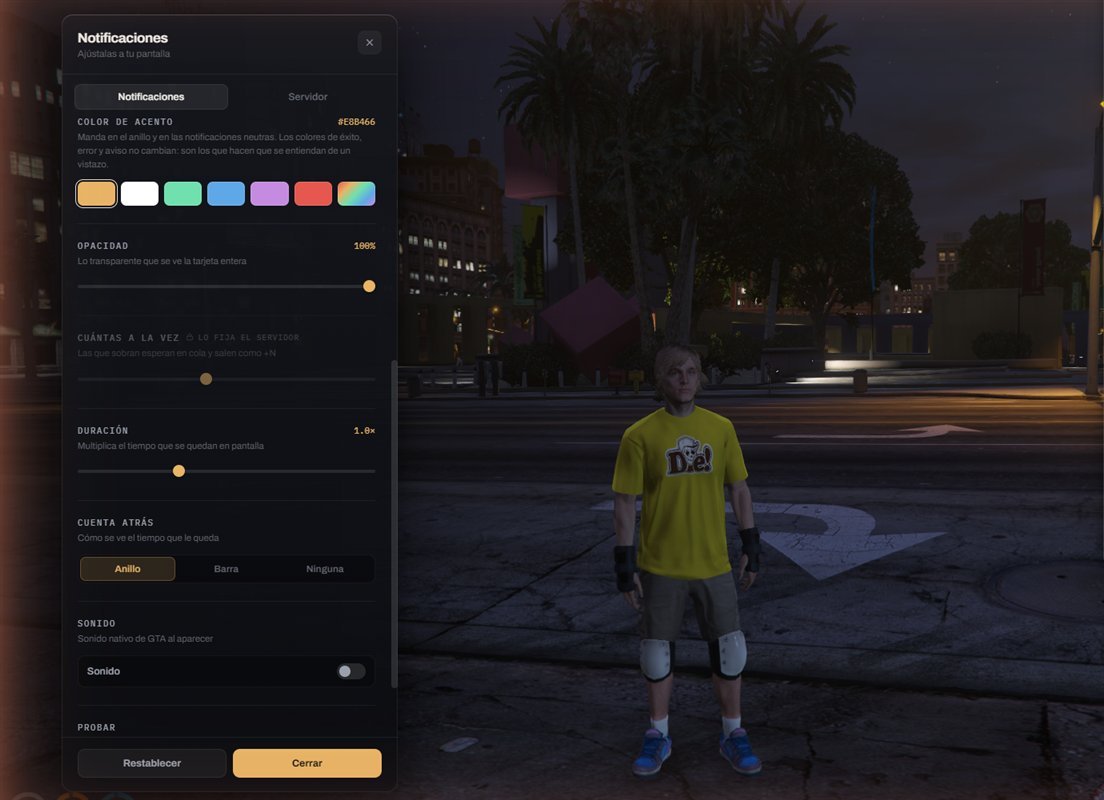
It drives the ring and the neutral notifications. Success green, error red and warning amber do not change: they are what makes a notification readable before it is read. Letting someone paint errors green breaks exactly that.
Where their preferences live
On the client, using FiveM's own storage. No table, no queries, no cost to your server, and they survive restarts.
The trade-off, stated plainly: they are per game install, not per account. Someone joining from another machine starts on the server's values.
Being an admin
With permission, a second tab appears: Server. Without it the tab is not there — and the server re-checks before writing anything, so faking the client gets you nowhere.
The permission is a FiveM ACE, no framework involved:
add_ace group.admin ob_notify.admin allowAdding the line and running restart ob_notify does nothing. The whole
server has to restart. This catches everyone the first time.
And if you use txAdmin, check that the server.cfg you are editing is the one
being loaded.
If the ACE doesn't work out, there is a list by hand
In config.lua:
Config.Panel.Admins = {
    'license:0000000000000000000000000000000000000000',
    'discord:000000000000000000'
}
This list is read from the resource, so restart ob_notify applies it
immediately. Any of your identifiers will do.
To see yours: join the server, open the client console with F8 and run
/notify. If ob_notify doesn't recognise you, it prints them out ready to
copy.
⚠️ Don't publish them. An identifier is not a password —nobody logs in with it— but it is stable and lets people follow you from one server to another. If you share your resources folder or push it to a repository, empty the list first.
The clean setup is to use the ACE and leave this empty: that way admins live in
one place, server.cfg, and not two.
The Server tab
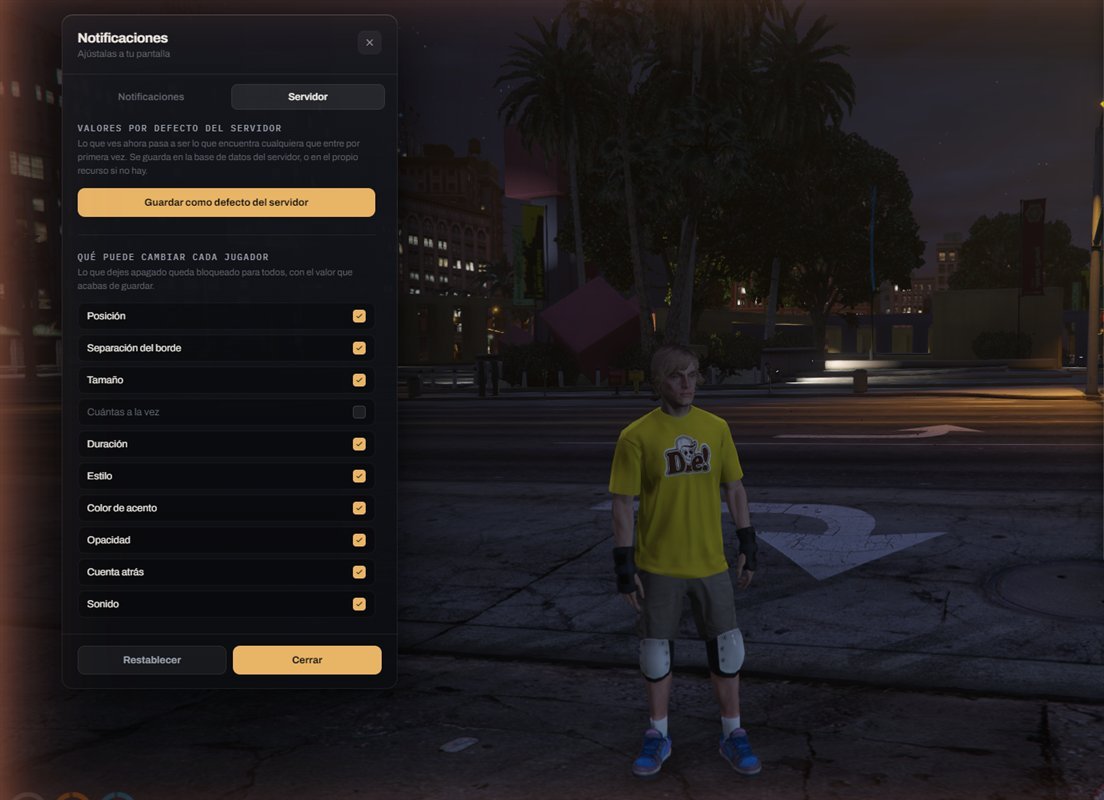
It does two things.
Save as the server default. Leave the panel how you want your server to look, press the button, and that is what anyone joining for the first time finds. It does not touch people who already tuned their own.
What each player may change. The list below, one switch per setting. Turn one off and it is locked for everyone, at the value you just saved.
Leaving it open lets a player stack 8 notifications at a time. Nothing breaks, but it covers half their screen and then they open a ticket. It ships closed.
Where the server's values live
Decided on its own at startup, by looking at what's there:
| If there is | It uses |
|---|---|
oxmysql running |
The database, table ob_notify_settings |
| Nothing | defaults.json, inside the resource itself |
The table is created on its own the first time. If a defaults.json was already
there it is imported automatically: nothing to do.
Updating a resource means copying the folder over, which is what everyone does. With the file, that wipes your settings. In the database they survive.
If you stay on the file, copy defaults.json out before replacing the
folder.
It can be forced in config.lua:
Config.Panel.Storage = 'auto' -- 'auto' | 'db' | 'archivo'Leaving it on 'auto' is recommended.
What the panel does NOT let you touch
The TextUI's position. It is not on the list and cannot be added.
That is not an oversight. A "press [E]" prompt that lands on a different edge
for each player stops being somewhere to look and becomes something to hunt
for. It is set once, by the server owner, in Config.TextUI.Position.
It can still be tested from the panel, to see how the key looks with the chosen style and colour.
Turning it off or renaming it
Config.Panel.Enabled = true
Config.Panel.Command = 'notify'
With Enabled = false the command stops existing. Everything else is unchanged:
notifications are configured from config.lua, as always.
If something goes wrong
| What you see | Cause | Fix |
|---|---|---|
| The Server tab never appears | The ACE is read only at startup | Restart the server, not the resource |
| Still not there | txAdmin loads a different server.cfg |
Use Config.Panel.Admins and restart ob_notify |
attempt to index a nil value on restart |
restart does not re-read fxmanifest.lua |
refresh, then restart ob_notify |
| "Could not save" | No database and no write permission | Check the server console: it says which one |
| The command doesn't exist | Config.Panel.Enabled = false |
Set it to true |